The Wonder of Tech: Pinterest is Internet's new star
Pinterest is a social media site that allows you to "pin" images to boards that you share. You can also explore others boards to discover images, websites, infographics, travel destinations, recipes, etc.
If you live in the United States or China, you've probably heard of basketball phenomenon Jeremy Lin. His meteoric rise to becoming an NBA star has made him an overnight household name.
Jeremy Lin is to basketball as Pinterest is to Internet sites.
Pinterest is the hottest site on the Internet, breaking the record in January for a website getting 10 million visitors a month in the shortest time. Whether you're interested in exploring for fun or learning, you should check out Pinterest and see what the fuss is all about.
What is Pinterest?
Pinterest is a social media site that allows you to "pin" images to boards that you share. You can also explore others boards to discover images, websites, infographics, travel destinations, recipes, etc.
To join Pinterest, you can request an invitation from Pinterest or from a current member and sign in with your Facebook or Twitter accounts. When you join Pinterest, you start with a few boards - such as Favorite Places & Spaces, My Style and Home. You can add boards in categories such as Photography, Technology, Travel & Places and many others. Think of these boards as your virtual scrapbooks.
How to Pin
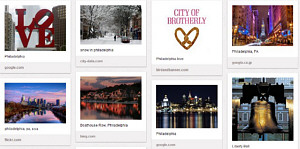
Philadelphia photos
After you've added a board, you'll want to add images to that board. The easiest way to add an image is to use the Pin It bookmark. Go to Pinterest Goodies and drag the Pin It bookmark to your bookmarks toolbar in your browser.
When you visit a website that you want to share, click the Pin It bookmark on your toolbar and all of the website's images will appear. Select the image you want to pin and a Pin This icon will appear on the image. Click on the icon, and you will be shown your boards. Select the one to which you wish to pin the image.
You can also include a description of the image. Pinterest gives you a whopping 500 characters to use in your description - a novel by Twitter standards. Most descriptions on Pinterest are short and sweet - one sentence, maybe two. Don't let that 500 character limit go to your head.
Remember that all boards are public. If you share family photos, the world will be able to see them. As of now, there is no way to protect your boards so make sure you share only images you want to be made public.
Note: You can block the pinning of images from your business or personal website. Pinterest released code this week that you can add to your site to prevent others from pinning your images.
Exploring Others' Pins
When you go to Pinterest, you can explore by going to the home page and clicking on a category you want to explore. Need a giggle? Check out Humor. Want ideas for a new 'do? Check out Hair & Beauty. Want inspiration to get in shape? Check out Fitness. Want a fun trip down memory lane? Check out History. Want to make a bucket list? Check out travel.
When you discover someone with interesting boards, you can follow that person. Click on a name under a pin and you will be taken to the person's page where you will see their boards, how many pins and Likes they have and their recent pins. You can follow all of their pins or just certain boards.
When you find a pin you like, you can re-pin it to your board. Click on the image, click the Repin button, choose your board and either keep the description or add your own. You can also Like and comment on others' pins.
Why You'll Go Crazy
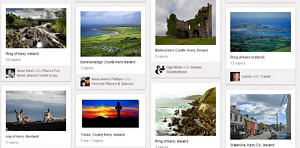
Photos of Ring of Kerry, Ireland
Now that you know how to use Pinterest, you may still be wondering why everyone is going crazy for Pinterest and why you will too. Pinterest requires a leap of faith - you need to explore to see why the site is so enticing. Here are some reasons why the site will grab you and why it will be tough to let go:
Fun - It's addictive. You will find yourself captivated by the site, losing track of time. There's always another board, pin or category to pique your interest.
Beautiful - You may be surprised at how many photographic masterpieces there are in the world, and Pinterest seems to be a repository for stunning photos. The site itself is clean, simple and ad-free, a suitable frame that steals none of the limelight from its pins.
Easy - Pinterest is intuitive. Navigating around the site is easy enough not to distract you from your quest to find nirvana, er, I mean pins.
Informative - If you want to learn about a topic, a picture says a thousand words. Scroll through the images in a category or search for a keyword. If you're considering visiting the Ring of Kerry in Ireland this Summer, search "Kerry Ireland". You'll be booking your trip as soon as you can peel yourself away from Pinterest.
Time Waster - In case you've been wondering what to do with all of your excess free time, you have now discovered the answer.
Apps
When you're away from your computer, don't worry, you still can access Pinterest from your smartphone. Pinterest has a free app in the iTunes App Store. There is no Android app yet for Pinterest, but you can access the site from your mobile browser.
Happy pinning!
Carolyn Nicander Mohr is a Chester County resident and creator of the website, The Wonder of Tech. Contact her at wonderoftech@gmail.com.
