Is your website ADA compliant? If not, you could face a lawsuit | Expert Opinion
Accessibility lawsuits are increasing in number, and pitfalls can come from using AI to create a website without help from an expert, Gene Marks writes.
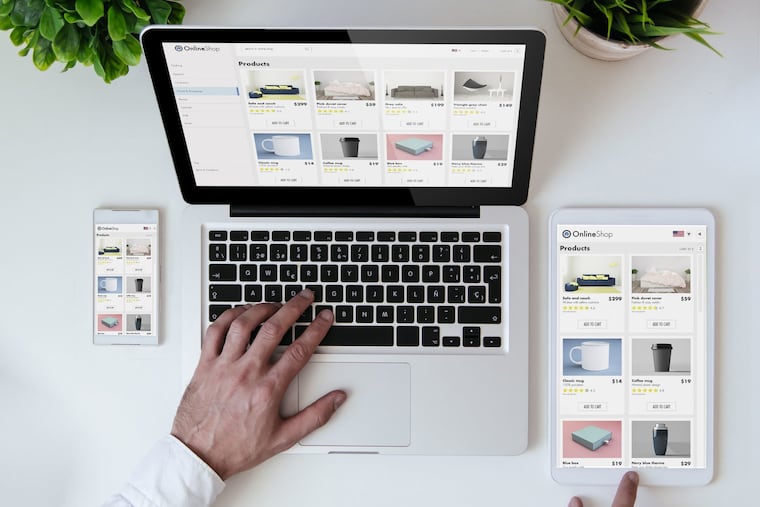
Do the images on your website have alternative text? Can a user fully navigate your site without using a mouse? Are your videos closed captioned?
If you’re not doing this then you’re exposing your small business to a lawsuit. And the number of lawsuits is rising.
More than 3,000 website accessibility lawsuits were filed in federal court in 2025 — a 27% increase from 2024, according to Seyfarth Shaw, a law firm with attorneys and clients in the Philadelphia area.
Website accessibility lawsuits accounted for 36% of all Americans With Disabilities (ADA) Act Title III lawsuits filed in federal court last year, the firm says.
“We have seen new plaintiff’s attorneys in the website accessibility space, which likely drives the higher numbers,” the firm reported. “These cases are also very easy for plaintiffs to file because they don’t even need to leave their homes to have an encounter with an alleged barrier to access.”
The risks of noncompliance
Being in violation of the ADA can result in significant fines, so settling a potential lawsuit can be much less expensive. That’s why this type of litigation has been growing around the country.
Opportunistic attorneys have been taking advantage of these rules — and the lack of website accessibility compliance by many small businesses, including a number of restaurants in the Philadelphia area a few years ago — to threaten lawsuits and walk away with quick settlements.
Some states, such as Missouri, Utah, and Georgia, have passed legislation to curb this abuse. But unfortunately no such legislation has been seriously discussed by lawmakers in either Pennsylvania or New Jersey.
What’s worse is that AI and “vibe coding” developers that use chatbots like Claude and ChatGPT are also potentially creating inferior sites. This is an increasing concern, said Molly Gertenbach, a freelance user- experience and website designer based in Philadelphia.
“While these tools let people launch websites and web apps faster than ever, their output is pretty bad from an accessibility standpoint,” she said.
Gertenbach says many of her clients still have a “lot of confusion and lack of awareness” of the details of the ADA requirements, mostly because the ADA itself doesn’t define the specifics business owners need to know.
How can you protect your business against this potential problem?
Check the rules
Gertenbach recommends starting with the Web Content Accessibility Guidelines published by the World Wide Web Consortium, a nonprofit organization that develops standards and guidelines based on the principles of accessibility, internationalization, privacy, and security.
“These standards will help you identify whether your website is missing alternative text, has documents that are unreadable by screen readers, forms that don’t work with keyboards, poor contrast or is inaccessible for tasks like online ordering or booking,” she said.
Have an accessibility statement
Accessibility statements on your site confirm in writing that your company is committed to making your website accessible to everyone, including people with disabilities. They also state that you are actively working to improve the usability of your website, adhering to published standards.
It’s also typical to provide contact information where site visitors can reach out if they encounter any issues. The World Wide Web Consortium provides examples for these kinds of statements.
Audit your site
Companies should be proactively auditing their websites before there’s a problem, said Tita Smyth Escobedo, who owns a web development firm in Lower Merion with her husband, David Smyth.
“Don’t wait for a demand letter,” said Escobedo. “There are a number of automated tools for a baseline check and then you should always follow up regularly with manual testing, especially for keyboard navigation and screen reader compatibility.”
Escobedo also recommends ensuring that any third-party tools or embedded widgets (like forms or chat boxes) are also compliant, as those are common failure points.
Smyth said many of these tools allow you to upload pages from your site and receive a list of elements to fix, which you can send to your web developer.
“Everyone has something on their site to fix, but if the results look dicey then you’ll need to step up a notch in the auditing,” he said.
Natalie Contrera, a creative director at digital marketing and design studio Mango Marketing in Philadelphia, advises paying close attention to your branding choices, especially color contrast.
“Something as simple as low contrast between text and background can make your site difficult for some users to navigate,” she said and recommends leaning into help provided by Google’s color contrast checker and website accessibility scanner.
Hire a pro
Most web developers agree that, as rules change, it’s important for business owners to have an expert involved in ongoing maintenance and regular refreshes. This is the safest and easiest route.
“Business owners who are looking to improve their accessibility and become compliant should have a good relationship with a website development professional who can perform audits and evaluations and help identify the scale of issues and prioritize the work that needs to be done,” said Gertenbach. “I see a lot of businesses still de-prioritizing the cost of quality design and development for a website and this can ultimately be a big mistake — and cost more in the long run."
A lot of this may seem like a hassle, but it’s important to remember ADA compliance not only reduces exposure to a potential lawsuit, but also provides a better experience (and selling opportunity) to those that really need it.
“Whatever you pay to fix, just feel good that you are making life a little easier for someone in the world that comes to your site,” Escobedo said.